



Touchscreen Tips for the 2026 Mazda CX-5 around Palatine, IL
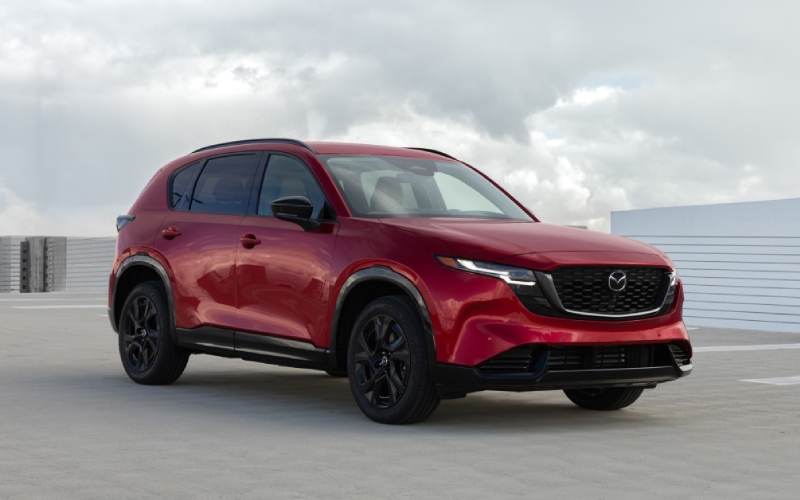
Biggers Mazda – Touchscreen Tips for the 2026 Mazda CX-5 around Palatine, IL
The 2026 Mazda CX-5 ushers in Mazda’s largest infotainment display yet—an available 15.6-inch integrated touchscreen designed to feel as natural as your favorite tablet. Around Palatine, IL, where a school drop-off can turn into a sprint down Rand Road or a quick hop onto Route 53, that matters. The new interface pairs a larger canvas with a cleaner layout, faster responses, and Google built-in for familiar apps right where you expect them. It’s a thoughtful upgrade that keeps the cabin calm and your focus on driving, not scrolling.
Below, you’ll find practical setup tips, real-world use cases, and answers to the questions we hear most from local drivers. Whether you’re new to on-board Google services or simply curious how this system fits family life, use these notes to make your first few drives seamless.
What Google built-in Means for Your Daily Drive
Google built-in brings a tighter integration of core Google services—like Google Maps and a curated Google Play Store—directly into the 2026 Mazda CX-5. You can sign in to access saved places, search histories, and a more personalized experience. The result is less bouncing between devices and a more confident, glanceable view of what matters now—your route, current traffic, and the next turn.
Voice control also levels up. With natural prompts, you can search for destinations, request alternate routes, or launch media without memorizing rigid commands. That’s a relief when a Palatine Youth Soccer field change reroutes your Sunday or the quickest coffee detour becomes urgent during a weekday shuffle.
First-Drive Setup: A Few Minutes Now Saves Minutes Later
- Connect your profile: If you use Google services, sign in to sync saved places and preferences.
- Fine-tune quick tiles: Customize the home screen shortcuts for Maps, your favorite audio app, and phone.
- Review voice settings: Enable hands-free prompts and confirm permissions for navigation and media.
- Check Bluetooth pairing: Pair your phone so calls, messages, and personal media integrate smoothly.
- Set display preferences: Adjust contrast, day/night modes, and font size for maximum readability.
Everyday Scenarios Where the Big Screen Shines
- School runs and practices: Pull up saved fields and gyms faster with Google Maps favorites.
- Split errands across town: Use multi-stop routing to cluster pickups and avoid backtracking.
- Weekend meetups: Share locations from your phone to the car and navigate hands-free.
- New-restaurant nights: Browse ratings, hours, and directions without hopping apps.
- Out-of-town guests: Queue a series of attractions, parking, and dinner spots in one route.
Media, Calls, and Focus
The added screen real estate reduces overlapping menus, and tiles limit tapping. That makes audio control and call handling more intuitive. With natural voice prompts, you can queue a playlist, take a call, and confirm your next turn without breaking cadence. The 2026 Mazda CX-5’s calm cabin design—wider openings, better rear-seat space, and a more open feel—complements the interface nicely, so time inside feels unhurried and tidy.
Frequently Asked Questions:
Do I need to use my phone for maps if the car has Google built-in?
No. Google Maps is native to the system, and you can sign in to access your saved places and search history. You can still connect your phone for calls, texts, and media if you prefer.
How does voice control help in traffic?
Natural prompts let you navigate, place calls, and manage media without memorizing command lists. It’s faster, consistent, and reduces distraction in stop-and-go conditions.
Can I customize the home screen?
Yes. The customizable layout allows you to place the most-used apps up front and use quick tiles for rapid access—handy when switching from navigation to a call or song choice.
Is there a learning curve coming from a previous CX-5?
Expect a short adjustment period due to the larger display and expanded capabilities, but the interface is intentionally familiar. Most drivers feel at home by the end of their first week.
Does this work in areas with limited signal?
Live features depend on connectivity. If you’re headed somewhere with spotty coverage, plan routes in advance and save key destinations.
Voice Tips That Feel Natural
Try conversational prompts, like “Find parking near downtown Palatine” or “Play today’s news briefing.” Follow-ups such as “Show an alternate route” keep you hands-on-wheel while refining your request. The broader screen makes results easier to digest at a glance—another way the 2026 Mazda CX-5 aligns with how you already use technology.
Privacy and Profiles
If multiple drivers share the CX-5, create separate profiles so each person’s home screen, favorites, and audio preferences stay distinct. Review permissions in the settings menu, and sign out if you’re lending the vehicle beyond your household. It’s a simple step that keeps your info where it belongs.
Ultimately, the 15.6-inch integrated touchscreen feels less like “new tech to learn” and more like a right-sized tool for modern life. Its combination of clearer visuals, native Google services, and natural voice support turns everyday navigation and media into quick, low-effort tasks—so you can keep your attention on the road. If you’re ready to see how it fits your routine, Biggers Mazda, serving Schaumburg, Palatine, and Huntley, can walk you through the interface before your test drive.
0 comment(s) so far on Touchscreen Tips for the 2026 Mazda CX-5 around Palatine, IL